Finance
Finance is your money in one place: log income and spending, set budgets, save towards goals and see where it all goes.
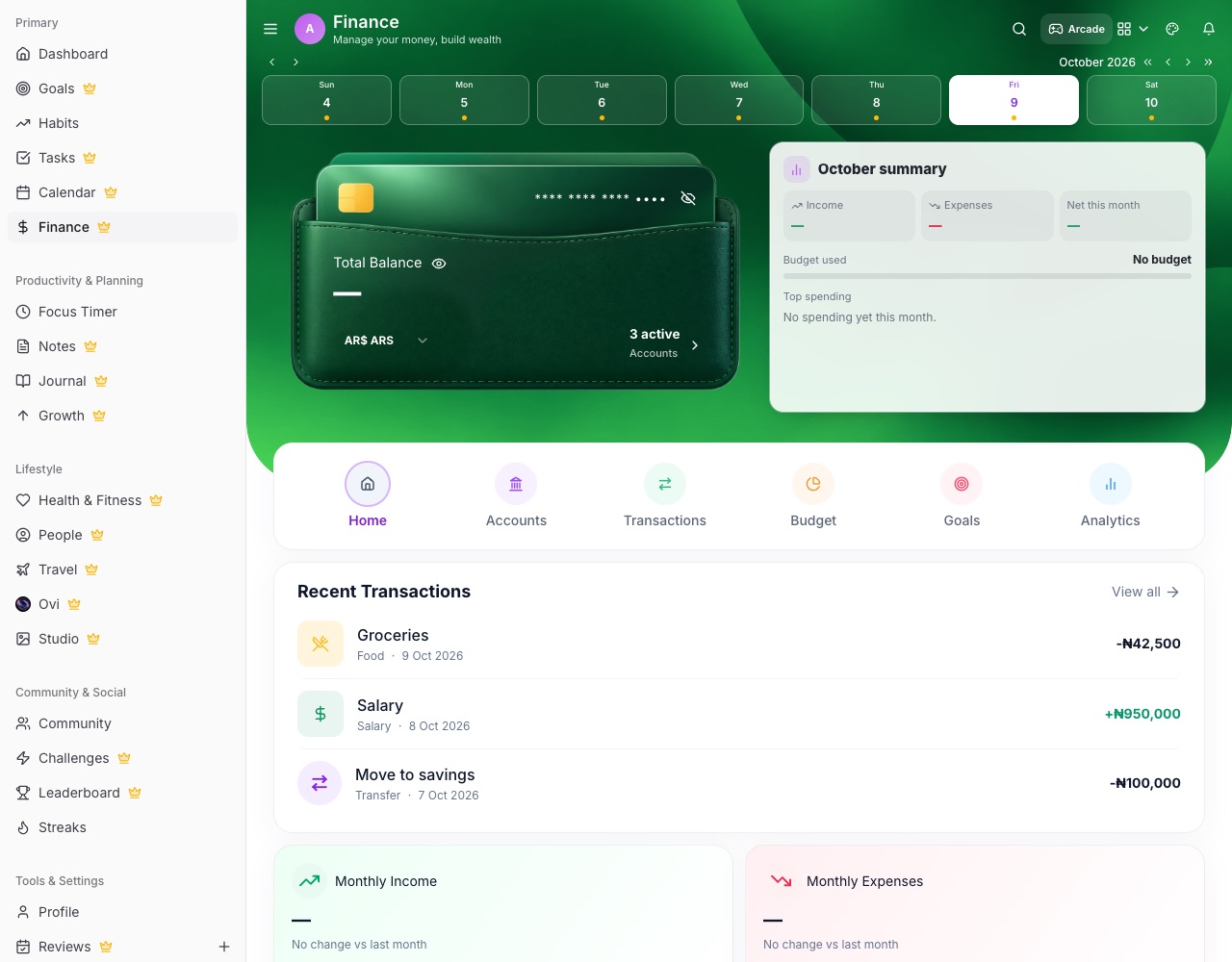
Getting around
Finance has six sections: Home, Accounts, Transactions, Budget, Goals and Analytics.
- Wallet and this month Your balance sits on the wallet card. On a computer, the card beside it shows this month's income, spending, net, budget used and top spending categories.
- Hide balance The eye button hides every amount on Finance and Home, handy in public. It's remembered on this device.
Logging money
- Add a transaction Choose income or expense, the amount, account, category and date. Set it to repeat for regular bills.
- Accounts Accounts are grouped by currency, and each shows its own balance and transactions.
- Categories Every category has its own icon and keeps the order you choose.
Budgets and goals
- Budget Set a monthly limit per category and watch how much is used.
- Savings goals Set a target and add money as you save. A savings goal can drive a challenge's progress too.
- Expected income Under Goals, list the income you expect so you can plan your saving.