
Focus on one thing and see the time add up
Pick a task, start a focus session and let LifeO keep the time. Every session is saved with its real clock times, so you can see how much deep work you did today, this week and on each part of your life.
Start your 7-day free trial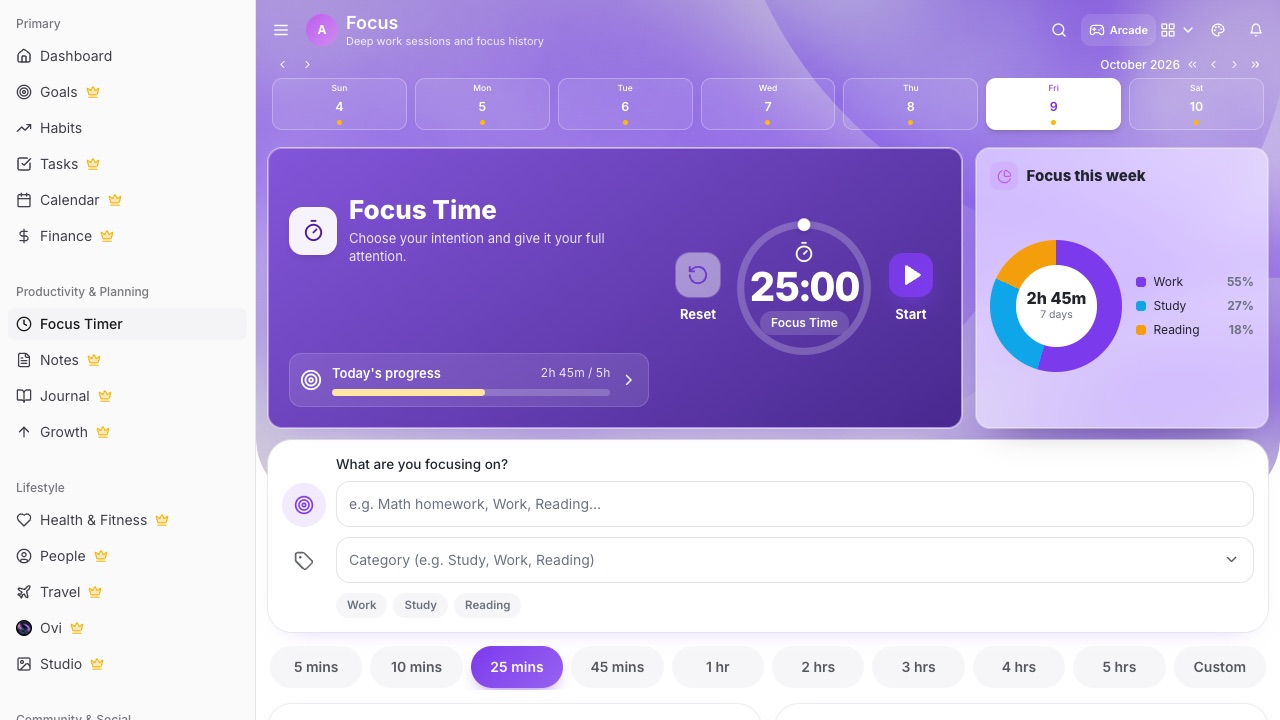
What you can do with LifeO
One-tap sessions
Start a 25-minute (or any length) session from a task, a learning plan or the Focus page.
Real clock times
Each session shows when it started and ended, including pauses.
Focus by category
See where your focus goes this week: work, study, health and more.
Session history
Edit or review past sessions, and see your daily average.
Linked to learning
Focus on a chapter or course module and it counts towards that book or course.
Counts in your weekly review
Your focus hours show up in the weekly review and Ovi's briefings.
How it works
- Create your LifeO account and start the 7-day free trial.
- Open Focus and choose a task.
- Start a session and work until it ends.
- Check your week by category.
Questions people ask
Is it a Pomodoro timer?
You can use it that way: run 25-minute sessions with breaks, or set any length you like.
Does it keep a history?
Yes. Every session is saved with its start and end time, duration and category.
Can I focus on a book or course?
Yes. Start focus from a chapter or module in Growth and the time counts towards it.
Does it work on my phone?
Yes, on the web and the Android and iPhone app.
Guides
More from LifeO
- Habit tracker app
- Goal setting app
- Budget app for Nigeria
- Daily planner app
- Family organizer app
- AI life assistant
- Finance tracker app
- To-do list app
- Calendar app
- Productivity app
- Business management software
- CRM for small business
- Invoice generator
- Team task management
- Journal app
- Notion alternative
- Todoist alternative