
One calendar for your whole life
See your month at a glance, plan your week by the hour and keep every event, birthday and trip in one place. Sync with Google Calendar, share a booking link so people can pick a free slot, and create extra calendars for work, content or family.
Start your 7-day free trial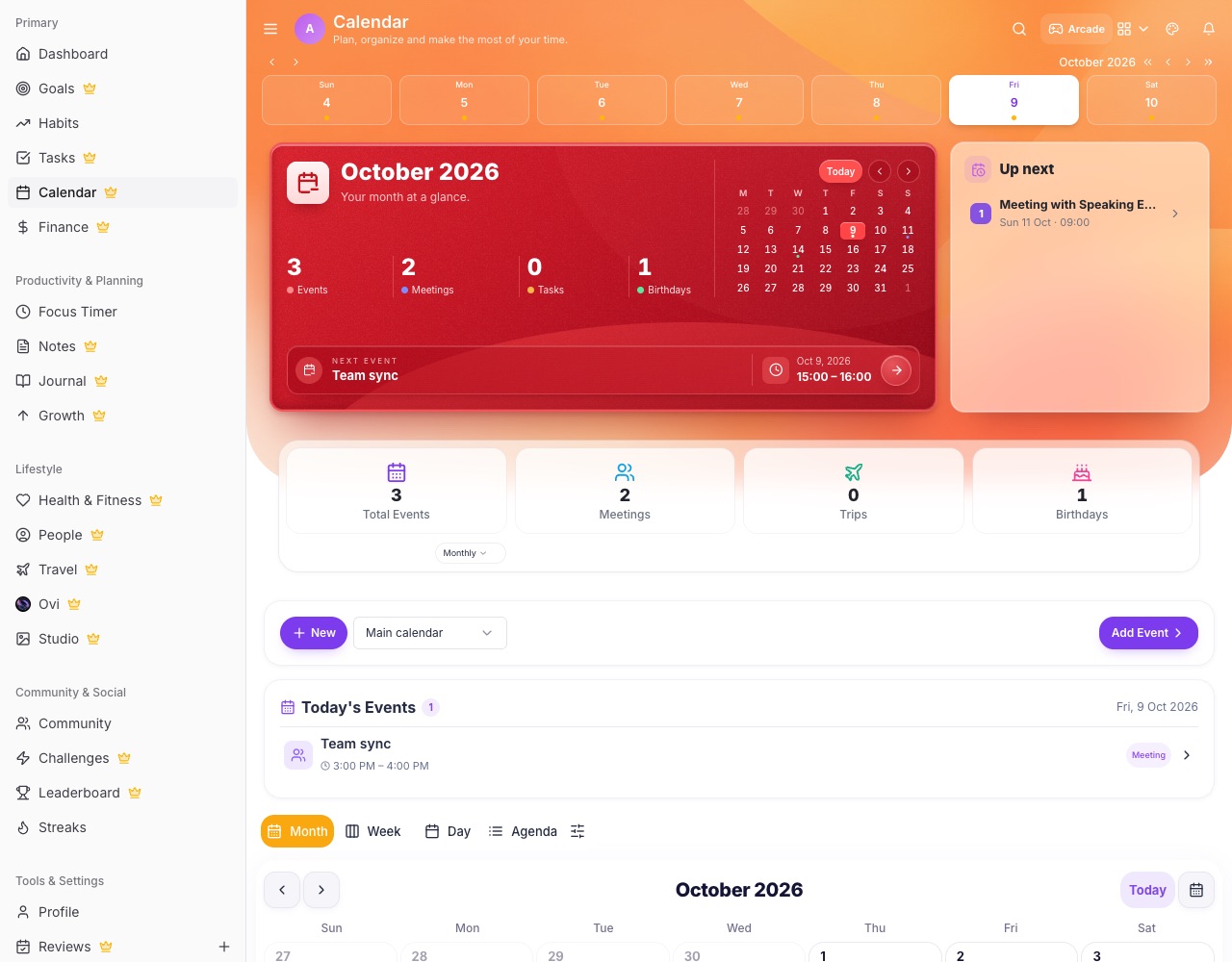
What you can do with LifeO
Month, week, day and agenda
Switch views in one tap, with the selected day's events always listed underneath.
Google Calendar sync
Bring in your Google events and push LifeO events back, so both stay up to date.
Booking page
Share a link where people book a time that fits your free slots, without the back-and-forth.
Custom and shared calendars
Make calendars for work, content or family, share them by link or with people, and choose who can edit.
Repeats and reminders
Daily to yearly repeats, all-day and multi-day events, and reminders before they start.
Events become tasks
Today's events can appear as tasks, and changing one updates the other.
How it works
- Create your LifeO account and start the 7-day free trial.
- Connect Google Calendar or add your first events.
- Share your booking link or a calendar.
- Plan your week in Week view.
Questions people ask
Does LifeO sync with Google Calendar?
Yes. Connect your Google account to bring your events in and send LifeO events to Google.
Can people book time with me?
Yes. Turn on your booking page, set your weekly hours and share the link. Busy times are blocked automatically.
Can I share a calendar?
Yes. Share a custom calendar by link (view only) or with specific people who can view or edit.
Is there a family calendar?
Yes. A family Circle has its own shared calendar with birthdays, anniversaries and events everyone can see.
Guides
More from LifeO
- Habit tracker app
- Goal setting app
- Budget app for Nigeria
- Daily planner app
- Family organizer app
- AI life assistant
- Finance tracker app
- To-do list app
- Productivity app
- Business management software
- CRM for small business
- Invoice generator
- Team task management
- Focus timer app
- Journal app
- Notion alternative
- Todoist alternative