
A ready-made alternative to building your own system
Tools like Notion are flexible workspaces you build yourself from pages and databases. LifeO takes the other approach: the planner, habit tracker, finance tracker, calendar, notes and business tools are already built and connected, so you can start organising on day one.
Start your 7-day free trial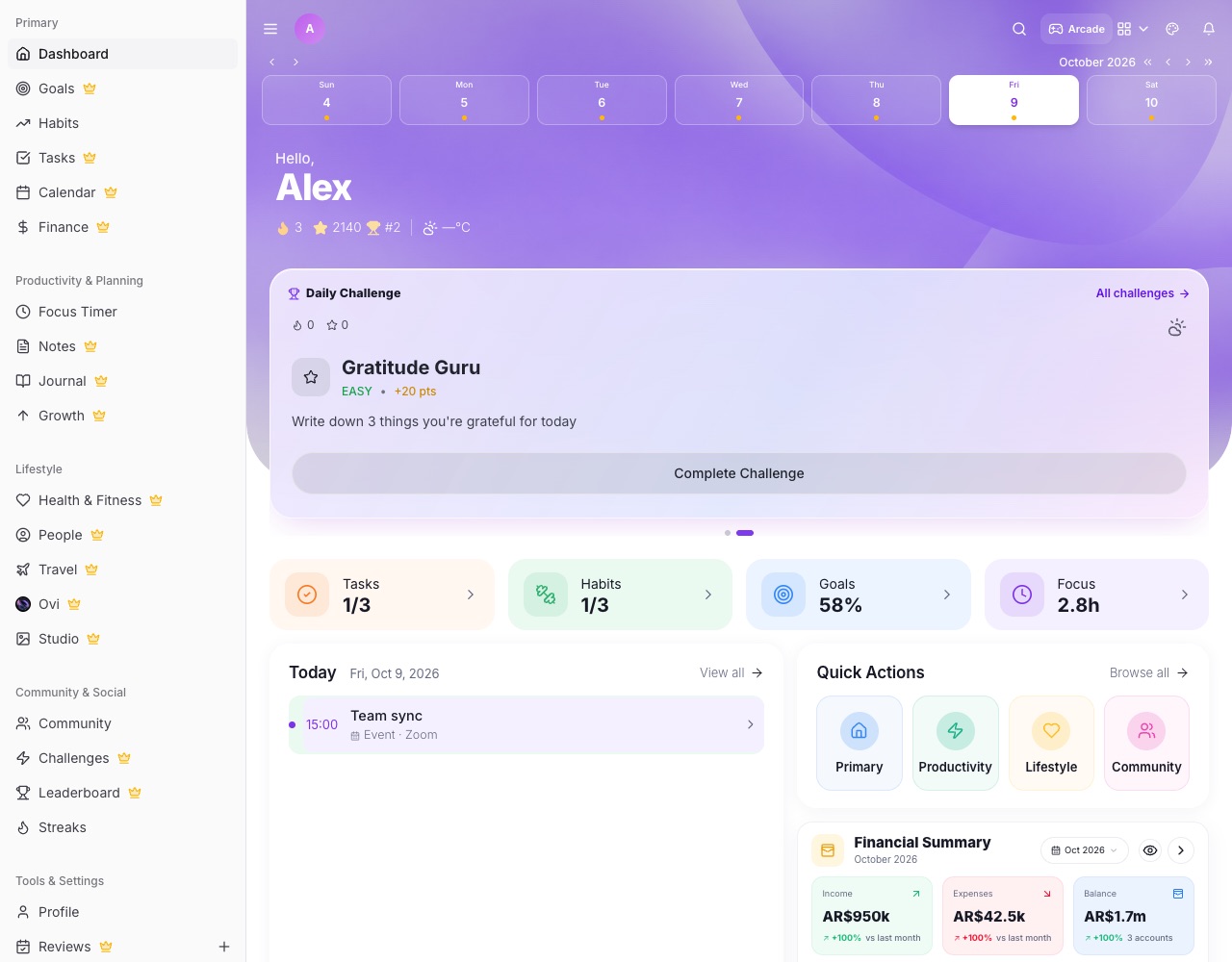
What you can do with LifeO
Nothing to set up
Tasks, calendar, habits, goals, finance, health, notes and journal work straight away.
Reminders and notifications
Task, habit and event reminders on your phone and computer.
Real money tracking
Accounts in any currency, budgets, savings goals and payments, built for daily use.
Rich notes and a wiki
Notes with pictures, folders, tables and fonts, and a company wiki in Business.
Business built in
Projects with plans and timelines, team tasks, CRM, invoices and chat.
An AI that knows your day
Ovi reads your tasks, calendar and plans to help you decide what to do next.
How it works
- Create your LifeO account and start the 7-day free trial.
- Add today's tasks and connect Google Calendar.
- Set up a habit, a goal and your accounts.
- Invite your family or team when you are ready.
Questions people ask
Can I move my notes into LifeO?
You can paste text, tables and images into LifeO Notes, and drop pictures straight into a note.
Is LifeO as flexible as Notion?
LifeO is less of a blank canvas and more of a finished system: each area has its own purpose-built page, connected to the others.
Does LifeO work for teams?
Yes. LifeO for Business has workspaces, projects, tasks, meetings, CRM, invoices, a wiki and chat.
How much does it cost?
A 7-day free trial, then from $2 a month. Business is $2 per team member a month.
Guides
More from LifeO
- Habit tracker app
- Goal setting app
- Budget app for Nigeria
- Daily planner app
- Family organizer app
- AI life assistant
- Finance tracker app
- To-do list app
- Calendar app
- Productivity app
- Business management software
- CRM for small business
- Invoice generator
- Team task management
- Focus timer app
- Journal app
- Todoist alternative