
More than a to-do list
Dedicated to-do apps such as Todoist focus on tasks. LifeO keeps everything a good to-do app needs (dates, reminders, repeats, priorities) and connects it to your calendar, habits, goals, focus sessions and money, so your whole day lives in one place.
Start your 7-day free trial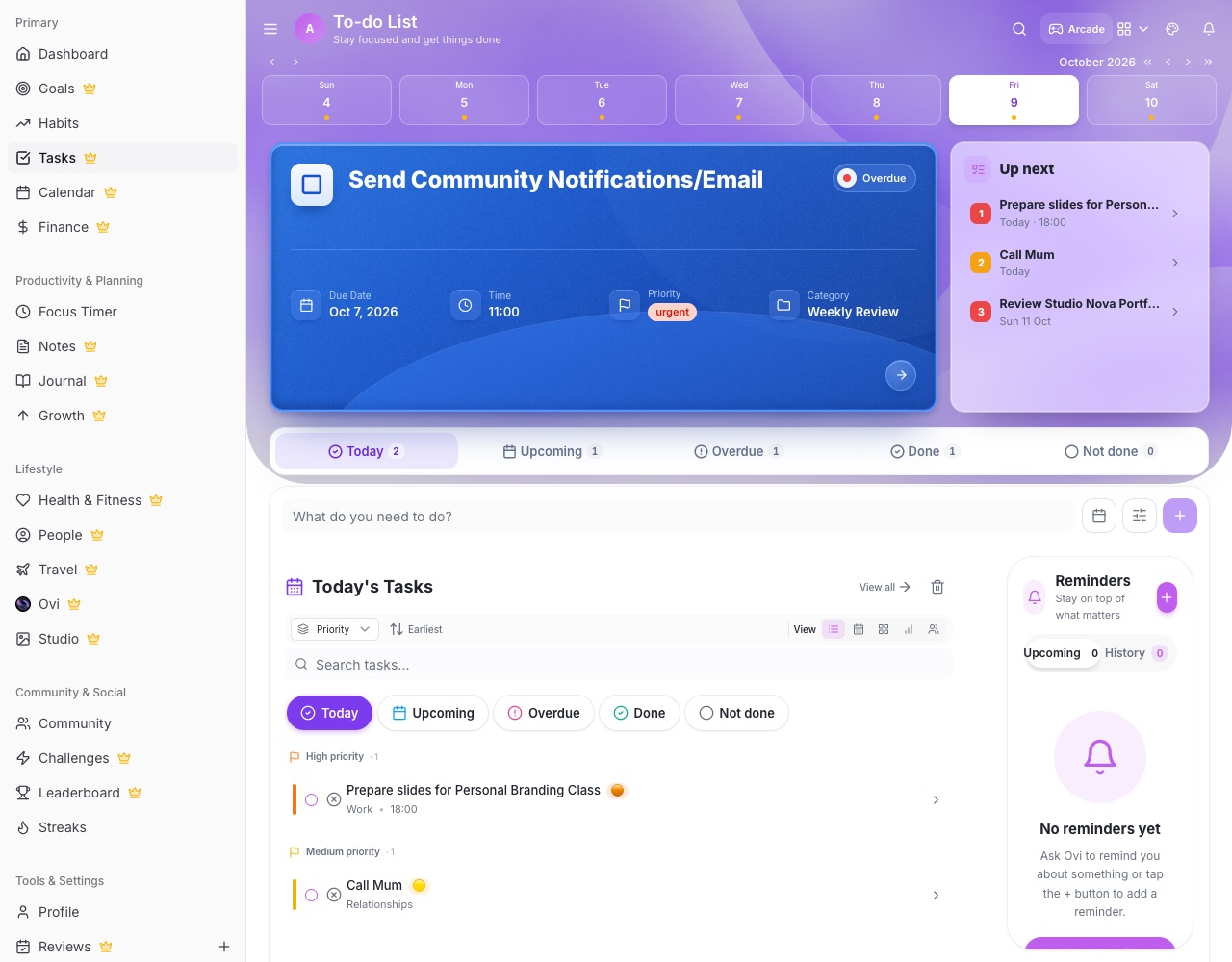
What you can do with LifeO
Everything you expect from tasks
Due dates and times, reminders, repeats, priorities, statuses and checklists.
Your calendar alongside
Google Calendar sync, and events that become today's tasks.
Habits and goals
Link tasks to goals and build daily habits with streaks.
Focus on a task
Start a focus session straight from a task.
Shared with family and team
Tasks assigned to you in a Circle or Business land in your own list.
Daily briefings
Ovi tells you what is due and lets you finish or move it in one tap.
How it works
- Create your LifeO account and start the 7-day free trial.
- Add your tasks with dates and reminders.
- Connect your calendar.
- Add a habit or goal and link your tasks.
Questions people ask
Does LifeO have repeating tasks and reminders?
Yes. Daily to yearly repeats, and reminders a day before, an hour before and when a task is due.
Can I share tasks?
Yes, with your family in a Circle or your team in LifeO for Business.
Is there a calendar view?
Yes. Tasks sit next to your calendar, which syncs with Google Calendar.
How much does it cost?
A 7-day free trial, then from $2 a month.
Guides
More from LifeO
- Habit tracker app
- Goal setting app
- Budget app for Nigeria
- Daily planner app
- Family organizer app
- AI life assistant
- Finance tracker app
- To-do list app
- Calendar app
- Productivity app
- Business management software
- CRM for small business
- Invoice generator
- Team task management
- Focus timer app
- Journal app
- Notion alternative