
Get more done without juggling five apps
LifeO puts your tasks, calendar, focus timer, habits, notes and goals in one connected app. Plan the day, focus on what matters, and see exactly how your week went, with an AI assistant that knows your schedule.
Start your 7-day free trial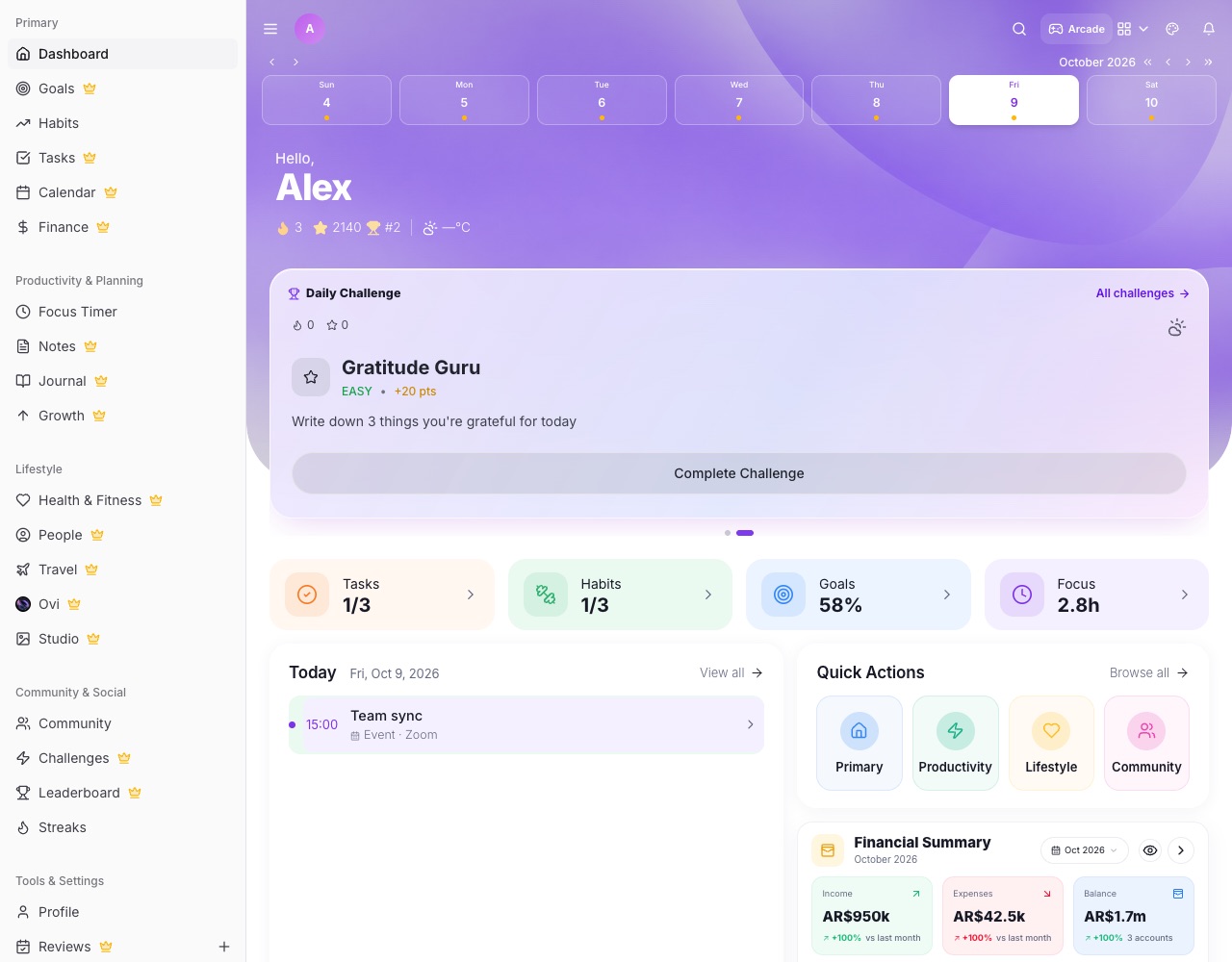
What you can do with LifeO
Plan your day
Today's tasks and events on one screen, with your top priorities first.
Focus timer
Start a focus session on a task, see your focus time by category and keep a history of every session.
Habits and streaks
Build the routines that make you productive and keep your streak going.
Notes and lists
Rich notes with pictures, folders, tables and drawing, plus checklists you can tick off.
Daily briefings from Ovi
Morning, mid-day and evening check-ins with one-tap actions to finish, move or reschedule.
Weekly review
See tasks done, habits kept, focus time and spending for the week, and plan the next one.
How it works
- Create your LifeO account and start the 7-day free trial.
- Add today's tasks and connect your calendar.
- Start a focus session on your top task.
- Review your week on Sunday.
Questions people ask
What makes LifeO different from a simple to-do app?
Your tasks, calendar, habits, focus sessions, notes, goals and money live together, so you can plan and review your whole day in one place.
Does it have a focus or Pomodoro timer?
Yes. Start a focus session (for example 25 minutes) on any task and LifeO records it in your focus history.
Can AI help me plan?
Yes. Ovi, LifeO's AI assistant, can plan your week, sort priorities and send daily briefings.
Does it work offline or on my phone?
LifeO works on the web and as an app on Android and iPhone.
Guides
More from LifeO
- Habit tracker app
- Goal setting app
- Budget app for Nigeria
- Daily planner app
- Family organizer app
- AI life assistant
- Finance tracker app
- To-do list app
- Calendar app
- Business management software
- CRM for small business
- Invoice generator
- Team task management
- Focus timer app
- Journal app
- Notion alternative
- Todoist alternative